
A lot of small businesses pay RingCentral $25 or $35 a month and only ever use the fax line. The phone system is set up but rarely answered. The team chat lives in Slack. The bill arrives anyway, for what has quietly become a fax line with a phone system bolted on.
This article is about RingCentral as a fax service. If you need to replace it as a phone system, that is a different decision and not the one we cover here.
If you only use the fax, there is a cheaper way to send one. PayPerFax charges $2 for the first three pages and $0.75 for each additional page, only when the fax is delivered. No subscription, no phone system bundled in, no monthly bill at all. This article compares the two so you can decide which makes more sense for how you actually use the service.
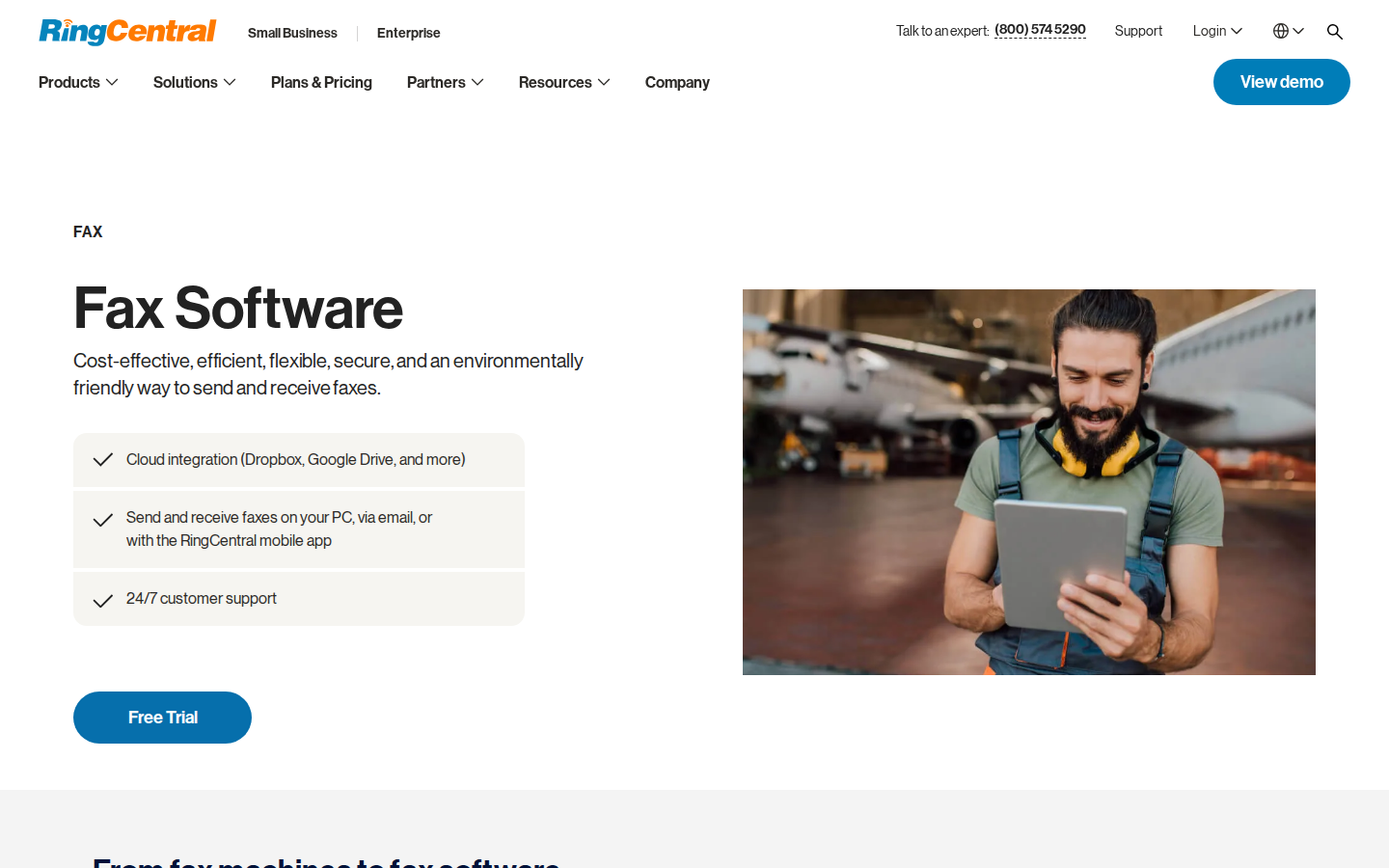
When RingCentral makes sense
RingCentral has been around since 1999. It is a publicly traded business communications company (NYSE: RNG) and one of the largest providers of cloud phone systems in the country.
Its main product, RingEX, bundles a business phone line, video meetings, team messaging, and fax into a single subscription. For the right kind of business, that bundle is genuinely useful.
RingCentral makes sense if you:
- Run a business that actually uses the phone, video, and chat features
- Need a single bill for phone plus fax instead of separate vendors
- Want a dedicated fax number that incoming faxes can be sent to
- Need user-level admin and call routing for a multi-person office
- Use integrations with Salesforce, Microsoft 365, or Google Workspace
- Have a regulated workflow that requires HIPAA-compliant fax handling (available on the higher RingCentral tiers)
For businesses in that situation, RingCentral is doing its job. The fax feature is one piece of a larger phone system, and the price covers the whole stack. If you would otherwise be paying separate vendors for phone, video, chat, and fax, the bundle math usually wins.
Where RingCentral stops making sense for fax-only users
RingCentral’s pricing is built around businesses that use the full phone system. The cheapest plan that includes fax, RingEX Core, runs around $25 per user per month when billed annually, or closer to $35 per user per month when billed month-to-month. Pricing changes from time to time, so check the current rate at ringcentral.com before signing up or canceling.
Here is the math for someone who only uses the fax line:
- At roughly $25 per user per month, you are paying about $300 a year. The fax allowance is bundled with the phone, video, and messaging features.
- At PayPerFax, a single fax of up to three pages costs $2 (cover plus two attachments). Longer faxes add $0.75 per additional page.
- For light fax volume (occasional small faxes), PayPerFax is dramatically cheaper. The crossover sits comfortably north of weekly faxing, beyond which the RingCentral bundle starts to make sense again – but only if you actually use the phone and chat features too.
The harder cost is the friction around cancellation. RingCentral plans are typically sold on annual terms. Switching off the service mid-contract usually involves a customer service call, a retention conversation, and an end-of-term wait before billing actually stops. None of that is hidden. It is how most business subscription services work. But for someone who signed up to send a few faxes and ended up with a phone system, it is a real cost in time.
If you only send fax through RingCentral, you are paying for a phone PBX, video meetings, and a team chat tool that nobody uses. That is the misfit the rest of this article is about.
PayPerFax: the no-subscription alternative
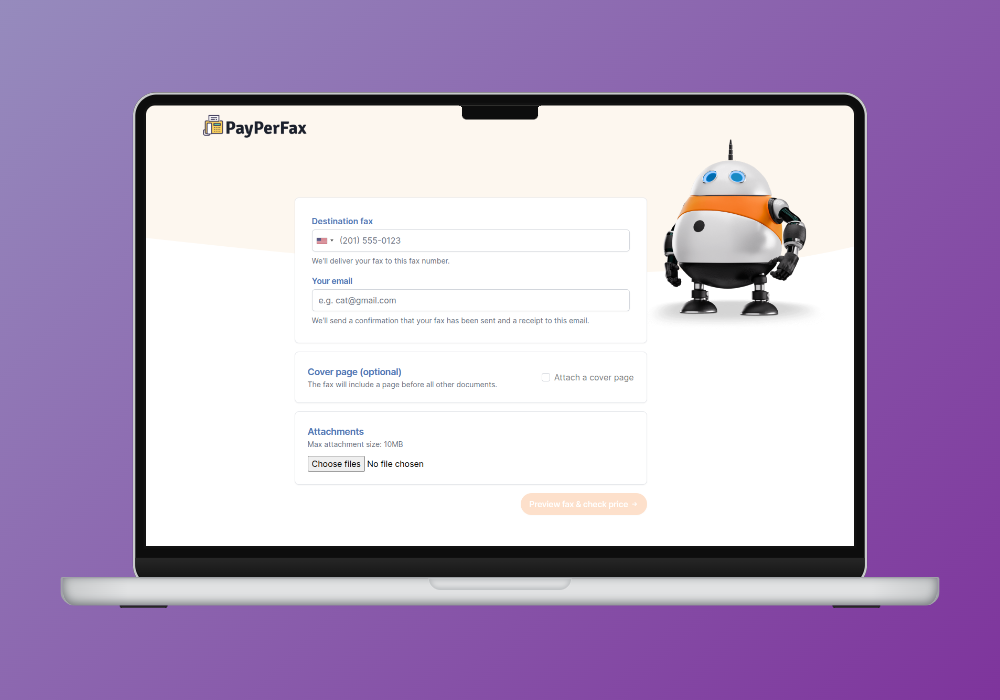
PayPerFax is a pay-as-you-go online fax service. You upload a document, enter a fax number, pay $2 for the first three pages plus $0.75 for each additional page, and send. There is no account to create, no subscription to manage, and nothing to cancel.
A few things that matter for occasional fax senders:
You only pay when the fax is delivered. If the line is busy, the machine on the other end is off, or the number turns out to be wrong, you pay nothing. The charge only happens on successful delivery. For one-off fax needs where you are not sure the number is right, that removes a real risk.
No account required. You can send a one-time fax online without creating a profile or handing over a credit card on file. Most fax services require registration before you can do anything. PayPerFax does not.
Mobile-friendly. The sending flow works from a phone browser. There is no app to install, and the workflow is the same on a laptop as it is on a phone.
International faxing. PayPerFax supports international destinations at pay-as-you-go rates. If you need to fax a document to Canada or Germany once a year, you pay only for those pages.
Native Google Drive and Dropbox integrations. Right-click any PDF, DOC, DOCX, JPG, or TIF file in Google Drive or Dropbox and send it as a fax. Install once via the Google Workspace Marketplace or Dropbox OAuth.
Use your AI assistant, with no monthly plan. Once your AI assistant is connected to PayPerFax, it can prepare the fax and give you a link. You check the fax and pay in the browser, one fax at a time. There is no account and no per-user plan the way a RingCentral number works.
What PayPerFax does not do is also part of the comparison:
- No phone system, video meetings, or team messaging. This is a fax-only service. If you actually need a business phone line, do not replace RingCentral with PayPerFax. You will not have a phone system anymore. Use PayPerFax for fax and pick a separate phone solution if you need one.
- No dedicated incoming fax number. PayPerFax is for sending fax, not receiving. If a client or counterparty needs to fax something to you, PayPerFax will not give you a number to hand them.
- Not designed for high-volume workflows. If you send dozens of faxes a week or run a team that faxes from multiple users, a subscription will be cheaper per page and will give you the admin tools.
That said, PayPerFax is the highest-rated pay-as-you-go fax service by user reviews, with a 4.7/5 rating on Trustpilot at the time of writing.
RingCentral vs PayPerFax at a glance
| Comparison point | RingCentral | PayPerFax |
|---|---|---|
| Pricing model | Monthly subscription (~$25-$35/user/mo, phone + video + chat + fax bundled) | $2 for first 3 pages, $0.75 each additional, delivered only |
| What you get | Full business phone system with fax included | Fax sending only |
| Best for | Small businesses using phone + fax together | Occasional and one-off fax senders |
| Sign-up required | Yes (account plus billing) | No |
| Dedicated incoming fax number | Yes (included) | No |
| Mobile experience | Native apps | Browser-based, no app |
| Charges for failed faxes | Counted against plan limits | Free, only delivered faxes are billed |
| Cancellation | Annual contract, customer service required | Nothing to cancel |
| Works with AI assistants | Programmable Fax API and MCP server advertised on the RingCentral developer site | Yes: your own AI assistant prepares the fax, you check it and pay per fax |
The RingCentral pricing column reflects the cheapest tier at the time of writing. The plan structure and per-user rates do change. Confirm the current numbers at ringcentral.com before making any decision based on this comparison.
Other RingCentral fax alternatives
If you are leaving RingCentral and want a RingCentral Fax alternative that is not another bundled phone system, here is the broader landscape of services people consider.
eFax is one of the longest-running online fax services and is built around a monthly subscription with a dedicated fax number. Entry-level plans start at $18.99 per month billed monthly. eFax is a reasonable fit for someone who faxes regularly and wants a phone number to receive faxes at. See our eFax alternative comparison for the side-by-side.
MyFax offers subscription plans similar to eFax, with a dedicated number and monthly page allowances. Plans start at $12 per month billed monthly, or $8.25 per month billed annually. It is not a pay-as-you-go option.
MetroFax provides US-focused subscription fax with dedicated numbers. Monthly subscription, account required.
Dropbox Fax (the rebrand of HelloFax after Dropbox’s acquisition) is built around users who fax documents stored in Dropbox. It advertises a free fax page, but that page is once per Dropbox account – not a free tier. After that, faxing rolls into a paid Dropbox plan.
SRFax is a subscription fax service that focuses on healthcare and legal users who need HIPAA-compliant handling. Monthly pricing, no pay-as-you-go option.
HumbleFax pools inbound and outbound pages into a single allowance and charges extra for faxes longer than ~60 seconds. See our HumbleFax alternative comparison for the trade-offs.
FaxZero offers a limited number of free fax pages per day with a paid upgrade for higher volume. For senders who fax very rarely and can tolerate cover-page ads, the free tier is workable. For everything else, the daily limits become a problem.
The pattern across all of these is consistent. Every realistic option except PayPerFax is either a subscription or a freemium service with daily caps. PayPerFax is the only one priced by the page, with no signup required.
None of these services is the right answer for everyone. The honest framing is that they serve different use cases. The mistake to avoid is signing up for a phone-and-fax bundle when you only needed to send a fax.
Which one should you choose?
Here is the simplest version of the decision:
Stay on RingCentral if:
- You actually use the phone system, video meetings, or team chat that comes bundled with the fax
- You need a dedicated incoming fax number that customers, clients, or counterparties send to
- You run a multi-user office and need user-level admin and call routing
- You have regulated workflows (healthcare, legal) and are using RingCentral’s HIPAA tier
Switch to PayPerFax if:
- You only ever use the fax line in RingCentral
- Your fax volume is light enough that the per-fax charges total well under a RingCentral subscription
- You signed up for RingCentral to send a fax and want to stop paying for the phone system you do not use
- You do not need an incoming fax number
Switch to a different fax service (eFax, MyFax, SRFax) if:
- You fax regularly but do not need the phone system
- You need an incoming fax number but not the rest of the RingCentral bundle
- A subscription model still fits your usage better than per-page pricing
The honest answer to “which is better” is that neither is better in the abstract. They serve different use cases. RingCentral is a phone system that happens to include fax. PayPerFax is fax without the phone system. If you only need the fax, you can stop paying for everything else.
Sending a fax without a subscription
If you only need to send one fax, you can do it right now at payperfax.com without creating an account. Upload the document, enter the fax number, and send. The per-page charge applies only if the fax is delivered. If you would rather understand the full workflow first, our guide to sending a one-time fax online walks through it.
And if you go ahead and cancel RingCentral, give the service a clean exit. Confirm the contract end date, get the cancellation confirmation in writing, and check that auto-renewal is off.