
The real difference between PayPerFax and HumbleFax comes down to one question: how often will you actually send a fax?
If you only fax once or twice a year, a pay-as-you-go service is the cheaper, simpler choice. If you run a small office where faxing is part of the weekly routine, HumbleFax’s subscription model will almost always be a better fit. This article compares the two so you can pick the right tool for the way you actually work.
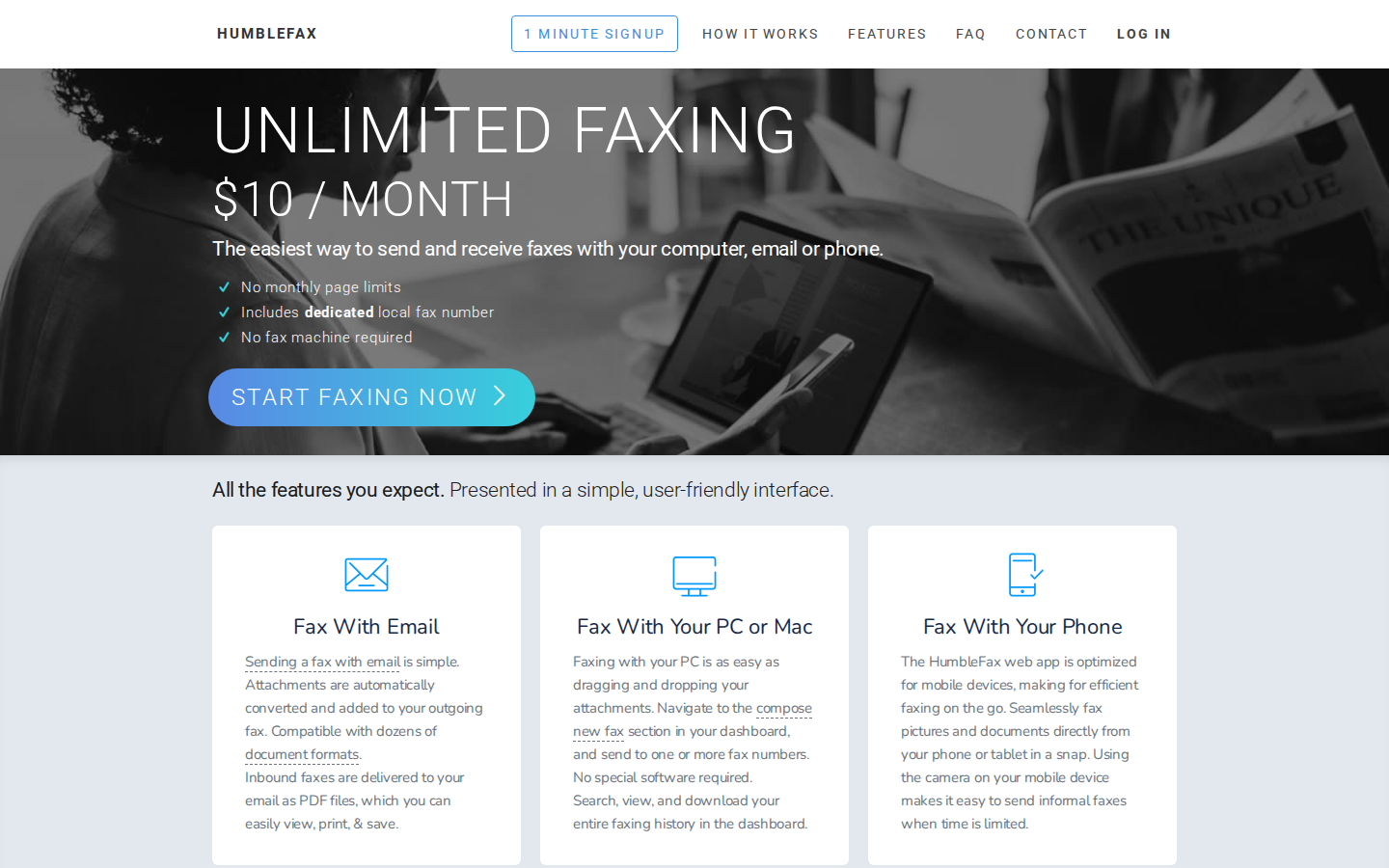
When HumbleFax is the right choice
HumbleFax is a subscription fax service that says thousands of customers use it every day. It sells a monthly or annual plan that bundles a dedicated fax number, two-way faxing, and a page allowance that covers inbound and outbound transmissions.
HumbleFax makes sense if you:
- Send faxes on a regular schedule, weekly or more often
- Need a dedicated incoming fax number that others can fax you at
- Want a single account with a history log, contacts, and scheduled sends
- Run a small business where the cost-per-page math favors a fixed monthly fee
- Want a managed two-way service rather than a one-off sending tool
For users in that profile, a monthly subscription buys predictability. You know the bill in advance, you have a permanent number to hand out, and the system is ready when you need it.
Where HumbleFax stops making sense
HumbleFax’s pricing is built around consistent, regular use. The monthly fee covers a set page allowance pooled between sending and receiving, with overages billed separately.
A few details that matter for occasional users:
- The fixed monthly fee applies whether you send one page or hit your plan cap.
- Inbound and outbound page counts share the pool. You can hit your sending limit even if you have barely received any faxes.
- HumbleFax charges extra when an outbound fax takes longer than about 60 seconds to transmit. Long documents or slow recipient lines can quietly inflate the bill.
- HumbleFax is mostly a standalone tool. It does not integrate broadly with other business software, which can be a constraint for teams that rely on connected systems.
For a low-volume user, the math falls apart quickly. If you send one or two faxes a year, a monthly subscription means paying for ten or eleven months of a service you never touched.
PayPerFax: the no-subscription HumbleFax alternative
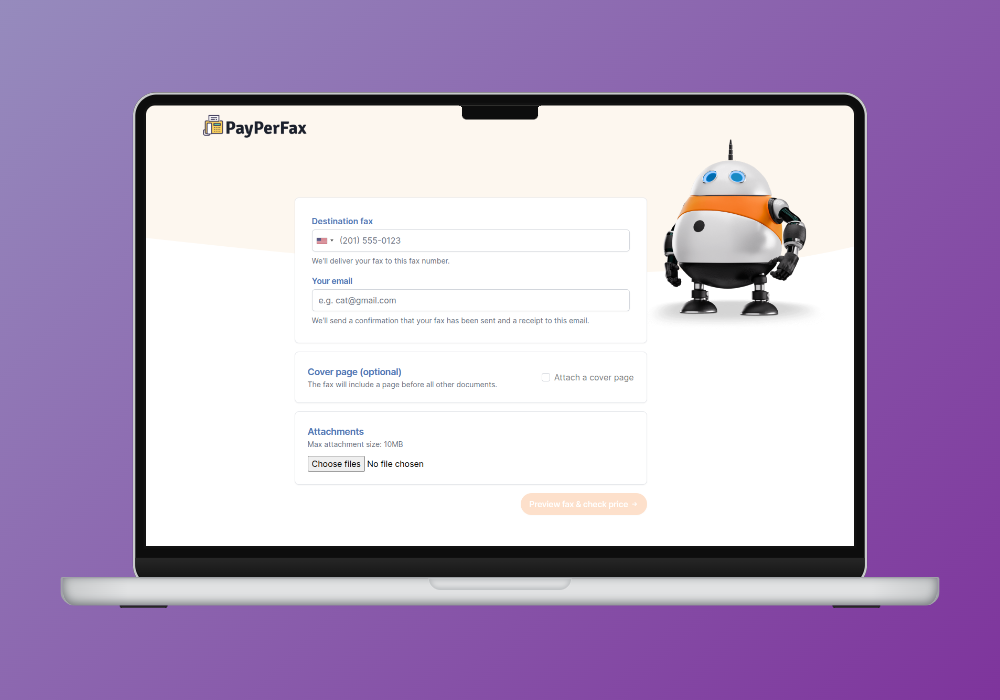
PayPerFax is a pay-as-you-go online fax service. You upload a document, enter a fax number, pay $2 for the first three pages (cover page plus two attachments) plus $0.75 for each additional page, and send. There is no account to create, no subscription to manage, and nothing to cancel.
A few things that matter for occasional fax senders:
You only pay when the fax is delivered. If the line is busy, the machine on the other end is off, or the number turns out to be wrong, you pay nothing. The charge only fires on successful delivery. For one-off fax needs where you are not sure the number is right, that removes a real risk.
No account required. You can send a one-time fax online without creating a profile or putting a credit card on file. Most fax services require registration before you can do anything; PayPerFax does not.
Mobile-friendly. The sending flow works from a phone browser. No app to install, and the workflow is the same on a laptop as on a phone.
International faxing. PayPerFax supports international destinations at transparent per-page rates. You see the exact cost before you send.
Security. Every transmission is protected by TLS encryption. For users handling sensitive documents (legal contracts, medical records, financial paperwork), PayPerFax provides the security baseline you would expect without the overhead of a subscription.
Native Google Drive and Dropbox integrations. Right-click any PDF, DOC, DOCX, JPG, or TIF file in Google Drive or Dropbox and send it as a fax. Install once via the Google Workspace Marketplace or Dropbox OAuth.
Works with your AI assistant. When your AI assistant is connected to PayPerFax, it can draft the cover letter, prepare the fax and give you a link. A file you already have, such as a signed form, you add on the fax form. Then review the preview and pay in the browser.
What PayPerFax does not do is also part of the comparison:
- No incoming fax number. PayPerFax is for sending only. If someone needs to fax something back to you, you need a service with a dedicated receive number.
- Not designed for high-volume workflows. If you send dozens of faxes a week, a subscription will be cheaper per page and will give you the admin tools.
PayPerFax is the highest-rated pay-as-you-go fax service by user reviews, with a 4.7/5 rating on Trustpilot.
HumbleFax vs PayPerFax at a glance
| Comparison point | HumbleFax | PayPerFax |
|---|---|---|
| Pricing model | Monthly or annual subscription, page allowance | $2 for first 3 pages, $0.75 each additional, delivered only |
| Best for | Regular faxers needing two-way communication | Occasional and one-off senders |
| Account required | Yes | No |
| Dedicated incoming fax number | Yes | No |
| Page counting | Inbound + outbound share the pool | Pages sent only |
| Long-fax fees | Extra charge if transmission exceeds ~60 seconds | None, per-page pricing regardless of duration |
| Charges for failed faxes | Counted against plan limits | Free, nothing billed if delivery fails |
| Cancellation | Account login, billing section | Nothing to cancel |
| Works with AI assistants | API and Zapier are advertised; no native assistant or MCP integration | Yes: your AI assistant prepares the fax, you review it and pay |
Real-world cost scenarios
The simplest way to see which service fits is to look at two typical use cases.
Five faxes a month, two or three pages each. Pay-as-you-go is the obvious choice. Each fax inside the first three pages costs $2, so a typical month lands well below the monthly fee of any HumbleFax plan, and the page allowance you would have paid for goes unused either way.
Fifty faxes a month. A small office, a contractor invoicing weekly, a medical practice sending records. HumbleFax’s subscription pricing becomes attractive at this volume. The per-page cost inside a plan allowance is typically lower than PayPerFax’s per-fax rates at high volume, the dedicated inbound number is genuinely useful, and the predictable monthly bill is easier to budget.
The honest answer on break-even is that it depends on how you fax, not just how often. A few multi-page faxes a month stay well inside pay-as-you-go territory; daily one-page sends climb faster. If you are sending faxes weekly or more, a subscription almost always wins.
Be honest about your fax volume before signing up for anything. Overestimating leads to paying for a subscription you barely use; underestimating means the per-page model adds up faster than expected. The right answer falls out of the question “how many faxes will I actually send each month?”
Features, security, and user experience
A pay-per-fax service is built around speed and simplicity. The whole point is to get your document uploaded, the number entered, and the confirmation in your inbox as fast as possible. The interface is stripped to the essentials: upload, enter, pay, send. For someone faxing occasionally, that directness is a feature.
HumbleFax, as a subscription service, offers a more integrated experience. You get a dedicated account, a contact list, scheduled sends, and a central place to manage all of your fax activity. The setup takes a few minutes, but it gives you a command center for regular use.
Security
For sensitive documents (legal, healthcare, financial), security baseline matters. PayPerFax secures every transmission with TLS and keeps uploaded documents for 30 days for quality assurance before automatic deletion, as our Data Retention Policy sets out. For occasional senders handling regulated content, that is the protection profile to look for in a pay-as-you-go service.
HumbleFax provides comparable baseline security. The difference is mostly in surface area: a long-running account holds more history and metadata over time, where a one-off sending session leaves a smaller footprint.
Accessibility
PayPerFax sends a fax from any browser without an account. That convenience is the whole point. You can fax a PDF directly from your phone or laptop in a couple of clicks.
HumbleFax sits inside its own dashboard. For consistent use that dashboard is a feature; for one-off use it is overhead.
Other HumbleFax alternatives
If you are shopping the broader market, the major fax services break into two camps.
Subscription services (HumbleFax peers). eFax, MyFax, RingCentral Fax, MetroFax, and SRFax are all monthly subscriptions with dedicated numbers and pooled page allowances. Plans typically run $10 to $25 per month. They differ in integrations, security tiers, and target audience (general business, healthcare, cloud-storage users), but the pricing model is the same as HumbleFax.
Dropbox Fax (the rebrand of HelloFax after Dropbox’s acquisition) sits in the same subscription tier but is built for people who already live inside Dropbox; the advertised free page is once per Dropbox account, not a recurring free tier.
Pay-as-you-go services. PayPerFax is the highest-rated option. FaxZero offers a limited free tier with cover-page ads. GotFreeFax and a handful of others operate in this space. These are the right tools for senders who do not want a monthly commitment.
The pattern is consistent: every realistic option except a small group of pay-as-you-go services is a subscription. If you only fax a few times a year, the pay-as-you-go group is what you want. If you fax weekly or more, the subscription group is more cost-effective.
Which one should you choose?
Here is the simplest version of the decision:
HumbleFax (or another subscription service) is the better fit if:
- You fax on a regular schedule, weekly or more
- You need an incoming fax number for two-way communication
- You want a dashboard with history, contacts, and scheduled sends
- Your monthly fax volume is comfortably above what pay-as-you-go would total
PayPerFax is the better fit if:
- You fax once or twice a year, or only a handful of times a month
- You only need to send faxes, not receive them
- You signed up for a subscription once, forgot to cancel, and want to avoid that again
- You want to upload a document and send it in under two minutes without an account
Neither service is universally better. They serve different use cases, and the most common mistake is signing up for a subscription when a single transaction would have been enough.
Sending a fax without a subscription
If you only need to fax a document once, you can do it right now at payperfax.com without creating an account. Upload the document, enter the fax number, and send. The per-page charge applies only if the fax is delivered successfully. Our guide to sending a one-time fax online walks through the full workflow.
Common questions
Can I send international faxes?
Yes, both services support international faxing. With PayPerFax, the exact cost for your destination shows before you hit send: pricing is transparent and per-page. HumbleFax includes some international pages in its plans, but rates and country coverage vary; watch the fine print to avoid overage fees.
What about delivery confirmations?
Both services provide them. PayPerFax sends a confirmation email when the transmission completes. HumbleFax logs delivery confirmations inside the account dashboard, with a fuller history view across all of your faxing activity.
What file types work?
Both support the common formats: PDF, DOC and DOCX, and JPG. You do not need to convert files before uploading. On PayPerFax, PNG, TIFF, and Markdown (.md) files upload directly too.
What about cancellation?
To cancel HumbleFax, log in and use the billing section. With PayPerFax there is nothing to cancel: no subscription, no recurring fee, no account to close. You just stop using it.