
iFax is a mobile-first fax service built around its iOS and Android apps. It positions itself in the higher-trust corner of the market with HIPAA-compliant handling, around-the-clock human support, and subscription-led pricing that starts at $12.49 per month for 200 pages. The mobile app pairs with a desktop web version and adds scan-and-send features that turn a phone into a document scanner.
For mobile-heavy workflows in regulated industries, that bundle has real value. For occasional senders who only need to send one fax, a monthly subscription is more commitment than the fax requires. PayPerFax is the most common no-app, no-account iFax alternative. This article compares the two so you can pick the right tool for the fax in front of you.
When iFax is the right choice
iFax is designed around a sender who faxes regularly from a phone and needs compliance features that come with that profile.
iFax makes sense if you:
- Send and receive faxes weekly or more, from a mobile device
- Work in healthcare, finance, or another regulated industry that needs HIPAA or GLBA-aligned handling
- Want an incoming fax number and a managed inbox inside the same app
- Are comfortable installing the iFax app and creating an account
- Want human customer support during business hours and beyond
For that profile, the pricing tradeoff works: a monthly subscription buys you the compliance, support, and mobile workflow.
What iFax actually offers
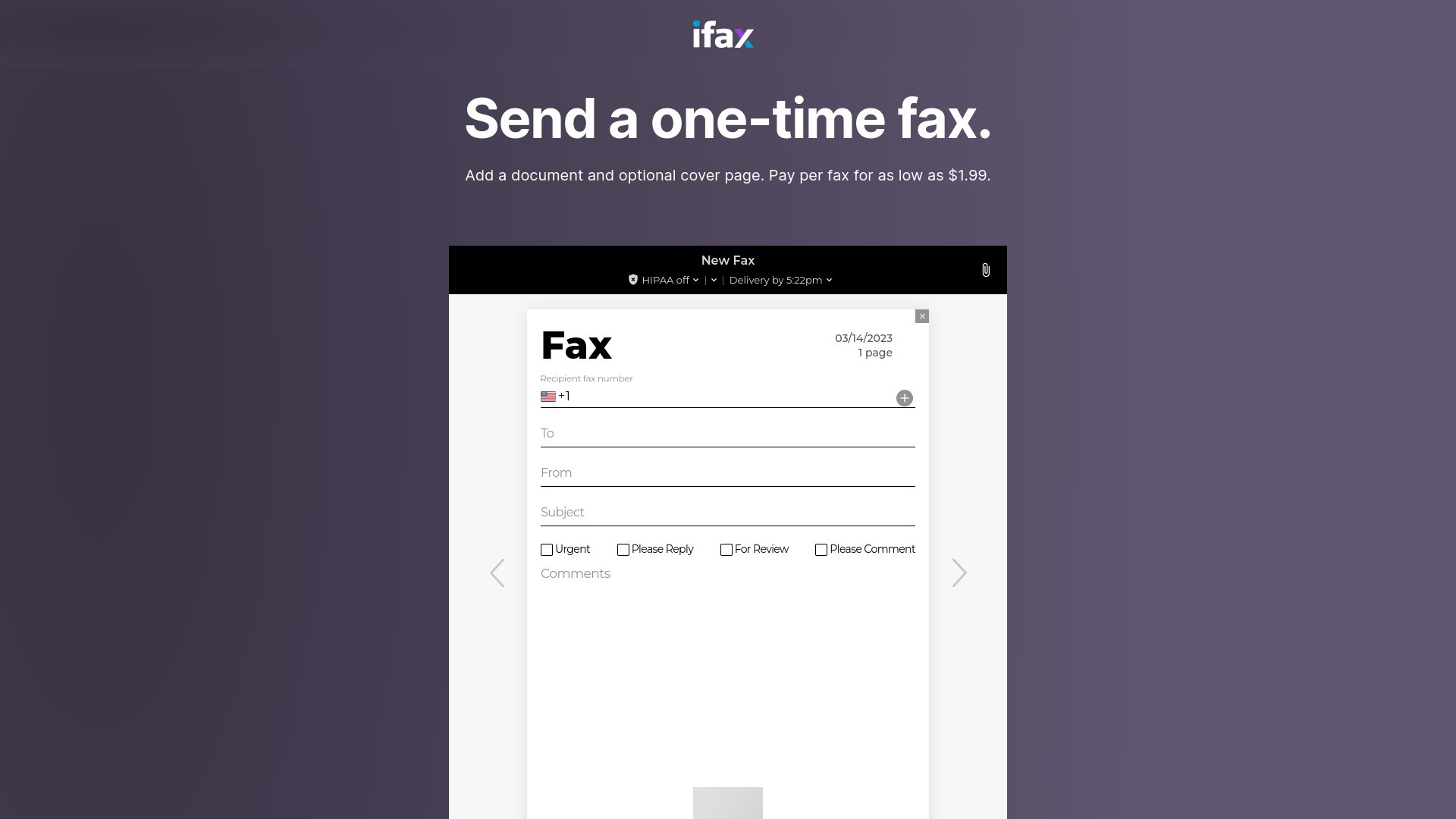
- Pricing model: Subscription-led. Plans start at $12.49 per month for 200 pages (Basic), with higher tiers adding more allowance, incoming numbers, and pooled-page features. iFax also markets a one-time-fax option, but no per-page rate is currently listed for it.
- Apps: Native iOS and Android apps plus a web version.
- Compliance: HIPAA-aligned handling on appropriate plans; GLBA mentioned for financial workflows. Business Associate Agreements available on higher tiers.
- Mobile scanner: Built-in document capture from the phone camera, with edge detection and OCR.
- Receiving: Included from the Plus tier ($24.99/mo) upward.
- Account required: Yes, on every tier.
- Support: 24/7 human support on higher plans.
Where iFax stops making sense
The features iFax leans on are also where most occasional senders run into friction with it.
The cheapest entry point is a $12.49/mo subscription
iFax no longer publishes a clear per-page rate alongside its plans. The cheapest published option is the Basic subscription at $12.49 per month for 200 pages. For an occasional sender, that means committing to a recurring fee for an allowance they will not use. PayPerFax’s flat-then-incremental structure ($2 for the first 3 pages, then $0.75 per additional page) lets the same sender pay only for the fax in front of them.
You have to install the app and create an account
iFax is fundamentally an app-and-account product. Even the web version expects a sign-in. For a sender who needs to fax one document and move on, the app install plus account setup is overhead the fax does not need.
Compliance features only matter to some senders
HIPAA and GLBA-aligned handling are real benefits if your job requires them. If your job does not, you are paying for paperwork that does not affect the document you are sending. Most senders sending a personal fax to a doctor’s office do not need a Business Associate Agreement.
App-only friction on desktop
The mobile experience is the lead product, and that shows on desktop. Senders who only ever fax from a laptop can find the web flow feels secondary to the app.
PayPerFax: the no-app, no-account alternative
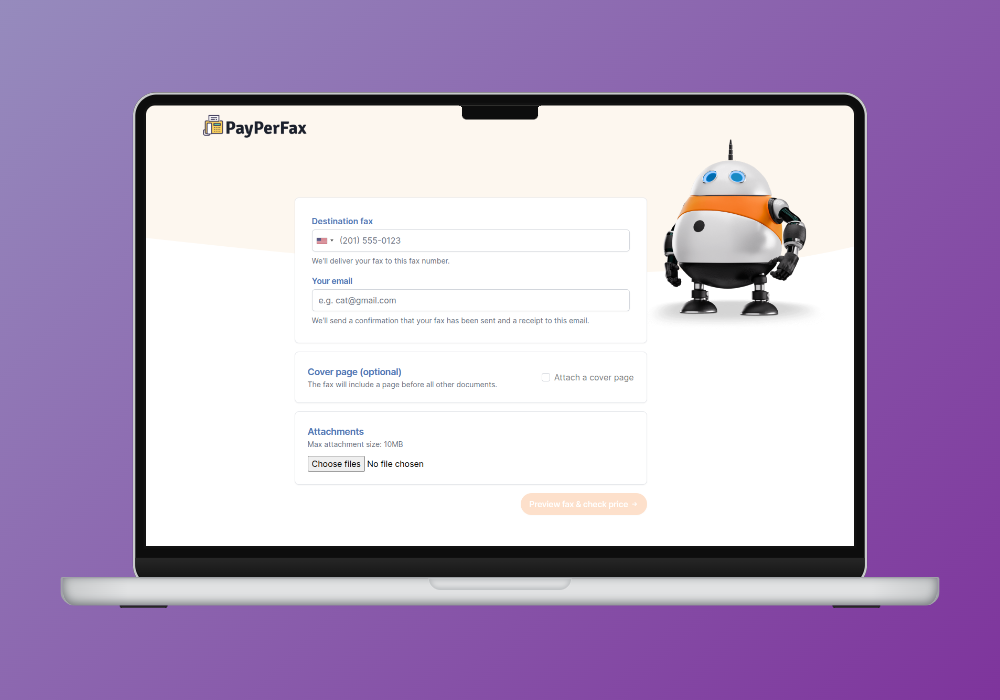
PayPerFax is a pay-as-you-go online fax service. You upload a document, enter a fax number, pay $2 for the first 3 pages (then $0.75 for each additional page), and send. There is no app to install, no account to create, and no subscription to manage.
The points that matter most when comparing PayPerFax to iFax:
You only pay when the fax delivers. If the line is busy or the number is wrong, you pay nothing. The charge fires only on successful delivery.
Cheaper for occasional senders. A three-page fax on PayPerFax is one flat charge of $2. On iFax, the same fax requires committing to at least $12.49 per month for an allowance you may not use. The math only tips in iFax’s favor if you fax regularly enough to fill that monthly allowance.
No app required. The whole flow works from any browser, desktop or mobile. No store install, no permissions to grant, no account to create.
No ads on the fax. PayPerFax does not add anything to the cover page. The document you send is the document the recipient sees.
Live fax tracking. Status updates show on screen as the fax transmits, with an optional browser extension for background tracking.
Mobile-friendly without being mobile-only. The flow works from a phone browser as cleanly as from a desktop. You do not need to commit to one device or one platform.
International coverage to 130 countries. Per-page pricing is shown up front for each destination.
Highest-rated pay-as-you-go fax service. PayPerFax is the top-rated pay-per-use fax service by user reviews.
Native Google Drive and Dropbox integrations. Right-click any PDF, DOC, DOCX, JPG, or TIF file in Google Drive or Dropbox and send it as a fax. Install once via the Google Workspace Marketplace or Dropbox OAuth.
Works with an AI assistant. If your AI assistant is connected to PayPerFax, it can prepare the fax and give you a link. If you already have a file to send, the link opens the fax form, filled in, and you add the file there. Then review the preview and pay in the browser. No app on your phone, and no PayPerFax subscription.
What PayPerFax does not do is worth saying too:
- No HIPAA-aligned handling. If your workflow requires HIPAA-grade fax security, you need iFax (or another compliance-focused provider), not PayPerFax.
- No incoming fax number. PayPerFax is for sending only. If you need a number that others can fax to, you need a subscription service.
- No mobile scanner inside an app. PayPerFax accepts documents you upload from your device. There is no in-app camera capture.
iFax vs PayPerFax at a glance
| Comparison point | iFax | PayPerFax |
|---|---|---|
| Cheapest published plan | $12.49/mo (200 pages, Basic) | $2 for the first 3 pages, then $0.75 per page, pay-as-you-go |
| Cost for an occasional fax | Monthly subscription required | Pay only when the fax delivers |
| Account required | Yes | No |
| App required | App-first; web is secondary | None (browser only) |
| HIPAA / BAA | Yes (on appropriate plans) | No |
| Incoming fax number | Yes (subscription tiers) | No |
| Mobile scanner | Built-in (in-app camera) | Upload from device |
| Live transmission status | In-app updates | Live on-screen and via extension |
| Charges for failed faxes | Plan-dependent | Free, only delivered faxes are billed |
| Cancellation | Cancel subscription tiers | Nothing to cancel |
| Works with AI assistants | Programmable fax API, Zapier and in-app “Fax AI” are advertised; no public MCP server | Yes: your AI assistant prepares the fax, you check the preview and pay |
Which one should you choose?
The decision splits cleanly.
iFax is the better fit if:
- Your workflow requires HIPAA or GLBA-aligned handling, including a Business Associate Agreement
- You send and receive faxes weekly from a phone and want an integrated inbox
- You want the in-app camera scanner for paper documents
- You are happy installing an app and creating an account
- You are willing to pay a monthly subscription for those features
PayPerFax is the better fit if:
- You only need to send a fax, not receive one
- Your workflow does not require a signed BAA or other compliance certifications
- You only need to send a fax occasionally, not month after month
- You do not want to install an app or create an account
- You only want to pay when the fax actually delivers
- The destination is international and you want clear per-page pricing before sending
Neither service is strictly better. iFax is the right tool for regulated, mobile-heavy senders. PayPerFax is the right tool for almost everyone else in the pay-as-you-go space.
Other iFax alternatives
If you are shopping the broader market, the other realistic options split into pay-as-you-go and subscription:
- FaxZero offers a free domestic tier (3 pages, US/Canada) with cover-page ads. Right for one-off personal faxes that fit the cap.
- eFax is the largest subscription provider. Plans start at $18.99/month billed monthly and include an incoming number and HIPAA-aligned handling on appropriate tiers.
- RingCentral Fax bundles fax with a full business phone system. Right for offices, overkill for one-off senders.
- HumbleFax is a smaller subscription with pooled inbound and outbound page allowances.
- MyFax is a subscription service with plans from $12 to $45/month on monthly billing.
- MetroFax is a subscription service with plans from $11.95 to $37.95/month on monthly billing.
- Dropbox Fax (the rebrand of HelloFax) advertises a free page, but that page is once per Dropbox account – not a free tier. After that, faxing rolls into a Dropbox plan.
The pattern: subscription services charge a monthly fee whether you fax or not, but include incoming numbers and (on appropriate tiers) compliance features. If your job needs those features regularly, a subscription saves money. If it does not, pay-as-you-go is cheaper.
Sending a fax without an app install
If you need to send a fax right now and iFax’s app install, account setup, or higher per-page rate are getting in the way, you can do it at payperfax.com without creating an account. Upload the document, enter the fax number, and send. The charge ($2 for the first 3 pages, then $0.75 per additional page) applies only if the fax delivers. For more on how this works, see our guide to sending a one-time fax online.